

How to Keep Packaging Colors and Finishes Consistent Across Reorders
August 2026 • 14–16 min read • By ChromaPack Engineering Team • Last reviewed: August 8, 2026
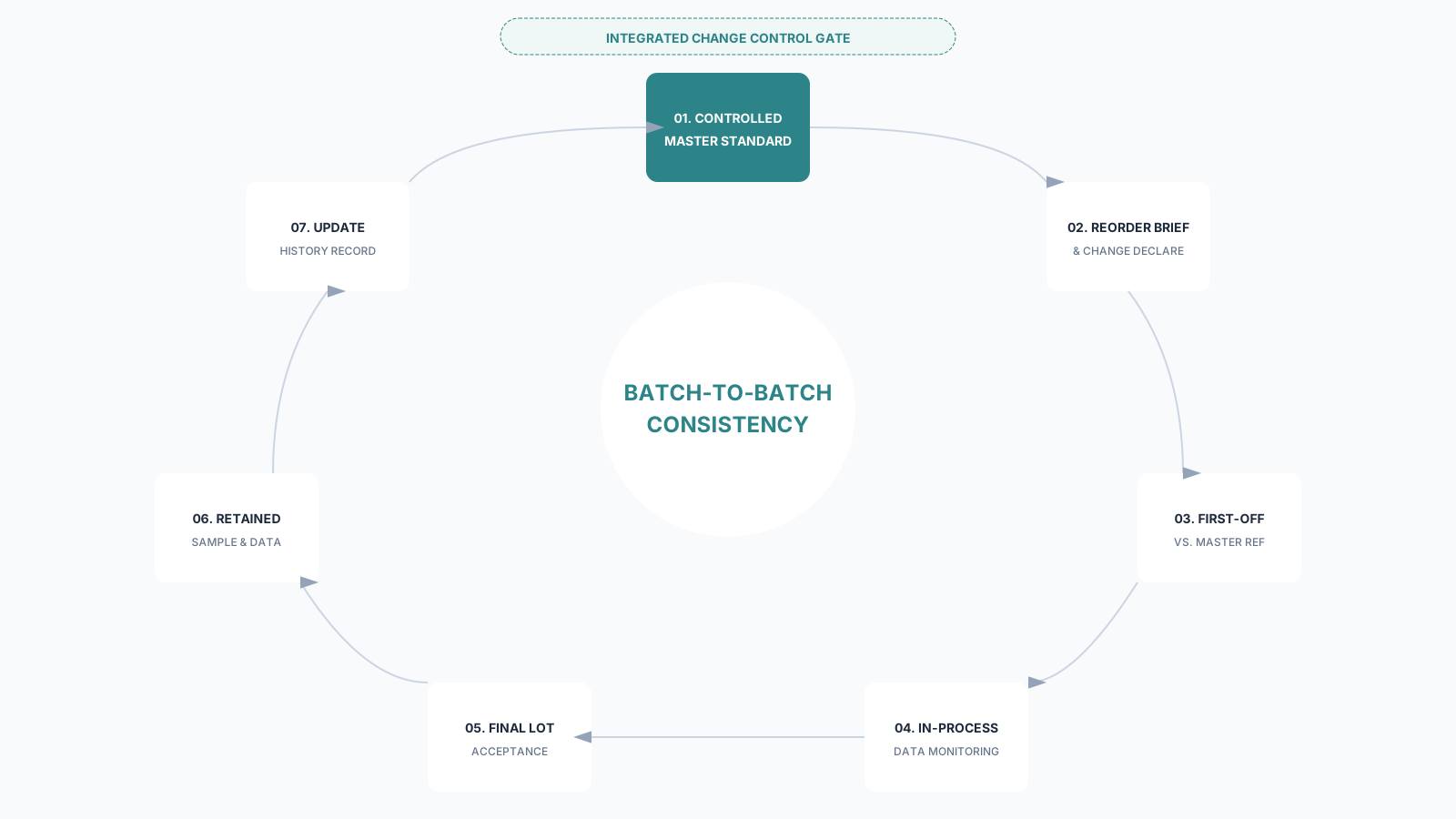
Short answer: packaging stays consistent across reorders when the buyer and supplier reuse a controlled master specification, lock the artwork, substrate, ink/white layer, print process and finishes, disclose every material or process change, approve the reorder first-off against the same physical and digital references, and retain measurement records plus samples from every production lot. Reusing only a Pantone number or old PDF is not enough.
The Reorder Control Formula
Controlled Master + Locked Inputs + Verified First-Off + Lot Acceptance + Change Control
Why the same packaging changes between batches
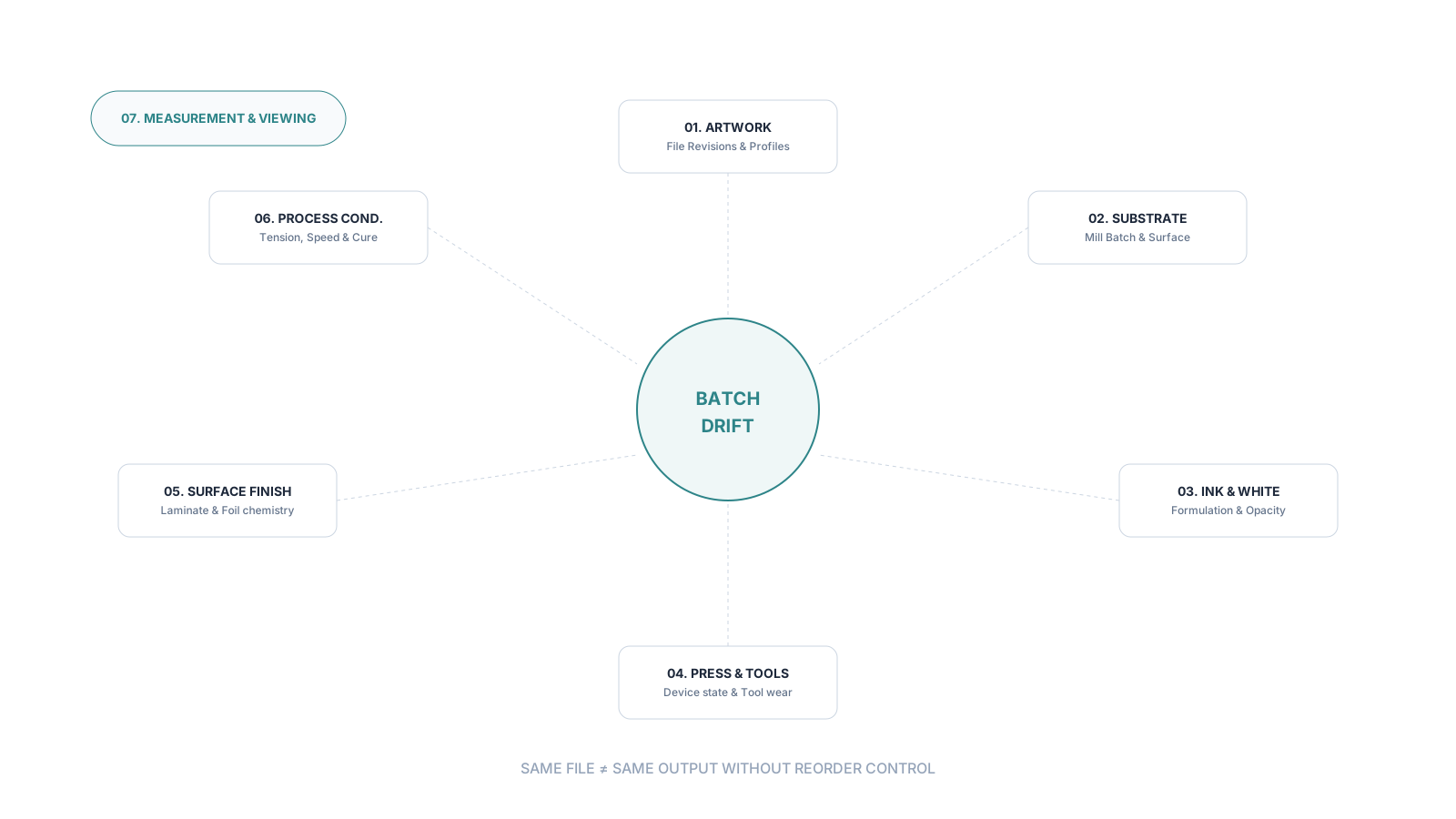
A common frustration in packaging procurement is receiving a reorder that looks subtly—or materially—different from the first batch. The artwork file is the same, the supplier is the same, and the Pantone number hasn't changed. Why does the color look muted, the gloss feel different, or the foil appear less brilliant?
The answer lies in the "drift" of manufacturing variables. Packaging production is a combination of chemistry, physics, and mechanical setup. If any one input shifts silently, the output will follow.
Color matching is not the same as reorder consistency
- Color Matching: How closely a sample agrees with the target under specific conditions.
- Color Consistency: How stable that color remains across different production runs and time.
- Finish Consistency: Stability of gloss, texture, foil reflectance, and tactile feel.
- Change Control: The formal process to evaluate and approve any material or process substitution.
Build one controlled master standard for every SKU
The reorder baseline must be a package of linked records, not just a loose sample in a drawer.
| Standard Block | Minimum Controlled Content |
|---|---|
| Artwork & Structure | Native file/PDF revision, Dieline, Separations, Barcode checksum |
| Material BOM | Commercial grade, White point, Thickness/GSM, Film structure |
| Color Standard | Physical target ID, Spectral data (Lab), Instrument settings |
| Finish Spec | Laminate type, Gloss level, Foil product code, Relief boundary |
| Process Identity | Print route, Press family, Plate/Cylinder IDs, Site location |
Finish consistency needs its own specifications
Do not use Delta E to approve every finish. A conventional color measurement cannot capture gloss, sparkle, texture, or embossed relief.
- Matte/Gloss: Lock the specific varnish or film product and coat weight.
- Foil: Identify the manufacturer and exact product code (e.g., KURZ 220).
- Soft-touch: Use tactile boundary samples for "velvet" or "silk" feel.
- Emboss/Deboss: Link the tool ID to the board grain direction.
Use a change-control gate before the press starts
Silent substitutions are the leading cause of reorder disputes. Establish a formal gate:
- No Change: Proceed to normal first-off verification.
- Administrative Change: (e.g., carton marks) Update revision only.
- Appearance Change: (e.g., new substrate lot or ink pigment) Requires trial/proof and buyer re-approval.
- Reference Aged: Master sample is faded or yellowed; formal re-baselining required.
What to do when a reorder looks wrong
- Quarantine & Trace: Hold affected cartons and preserve lot/SKU identity.
- Verify Baseline: Confirm you are comparing against the correct master revision.
- Compare Raw Data: Use spectral instrument data, not phone photos.
- Isolate the Cause: Separate color drift from finish, texture, or lamination shifts.
- Assess Business Impact: Determine shelf-mix risk and filling line compatibility.
Submit a Reorder With Reference IDs → Provide your Master Standard ID and last accepted lot number. ChromaPack will perform a technical review and provide a first-off approval plan for your reorder.